Most people leave their phone settings on auto-pilot. You walk into the house, your phone grabs the Wi-Fi. You leave, it switches to 5G. It feels seamless, but it is often inefficient. Relying on default switching logic drains your battery and, depending on your data plan, costs you money. Marketing campaigns have pushed 5G as the ultimate connectivity solution, implying it renders Wi-Fi obsolete. That is incorrect.
5G and Wi-Fi serve different architectural purposes. One is a wide-area network designed for mobility; the other is a local-area network designed for high throughput in a fixed location. Knowing exactly when to toggle that Wi-Fi switch off—or when to force your phone to ignore a weak cellular signal—changes how your device performs. We need to look at the specific metrics: speed, latency, power consumption, and security.
The Speed Myth: 5G Isn’t Always Faster
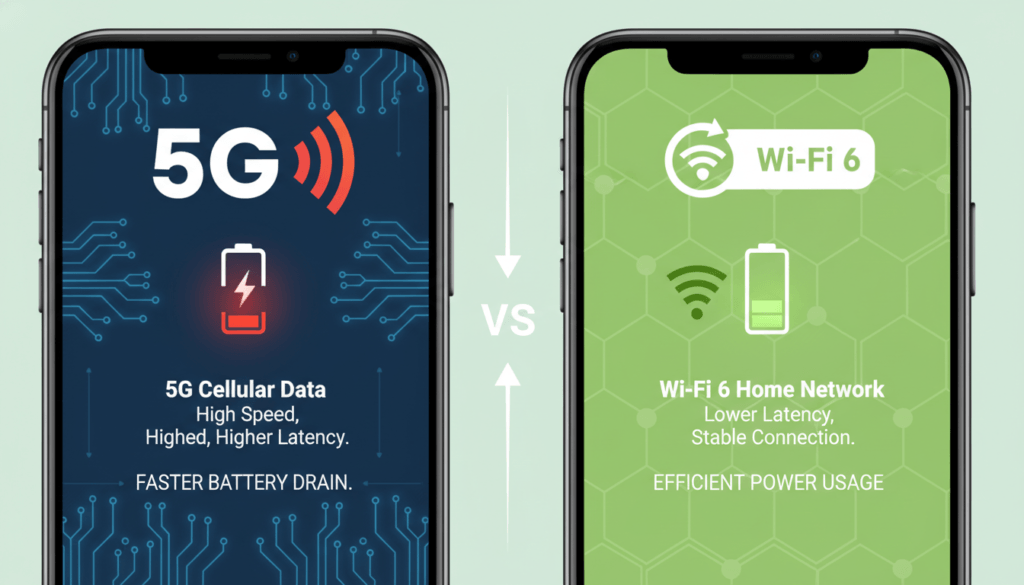
There is a misconception that 5G is inherently faster than Wi-Fi. This comes from early tests showing 5G hitting gigabit speeds. Those speeds are real, but they rely on Millimeter Wave (mmWave) technology. mmWave signals are incredibly fragile. A window, a tree, or even your hand covering the antenna can block them. Most of the time, your phone is actually connecting to Sub-6GHz 5G. This version of 5G travels further but offers speeds that are often comparable to, or sometimes slower than, 4G LTE.
Compare that to modern Wi-Fi. If you are running a Wi-Fi 6 or Wi-Fi 6E router at home, you are likely seeing speeds between 400 Mbps and 1 Gbps with high stability. In a domestic setting, Wi-Fi usually wins on consistency. 5G fluctuates based on network congestion. If you are at a crowded stadium, 5G might crawl while the stadium’s dedicated Wi-Fi flies. Conversely, if you are on a fiber-backed 5G node with no one else around, you might beat a coffee shop’s overloaded DSL Wi-Fi. Context dictates speed, not the technology name.
Also read : RAM Vs Storage
Battery Drain: The Silent Killer
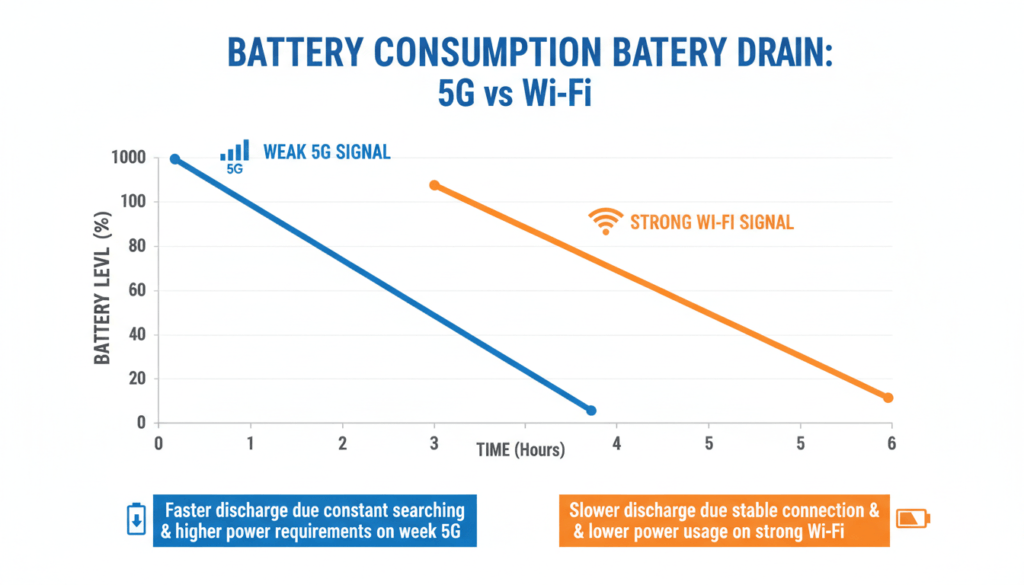
This is where the hardware reality hits. Cellular radios are power-hungry. To maintain a 5G connection, your phone constantly communicates with cell towers that might be miles away. If the signal is weak, the phone increases power to the antenna to maintain the handshake. This creates heat and drains the battery rapidly.
Wi-Fi is different. The router is usually within 30 to 50 feet. The transmit power required to send data back and forth over that short distance is significantly lower.
If you are sitting in a building with thick concrete walls—like a basement office or a large department store—your 5G signal will likely drop to one or two bars. Your phone will panic, ramping up power to find a better signal. In this scenario, switching to Wi-Fi stops the drain immediately. If you leave Wi-Fi off and force the phone to struggle for a cellular signal, you will lose percentage points of battery life every hour just from standby usage.
Security Protocols: Public Wi-Fi vs. Cellular
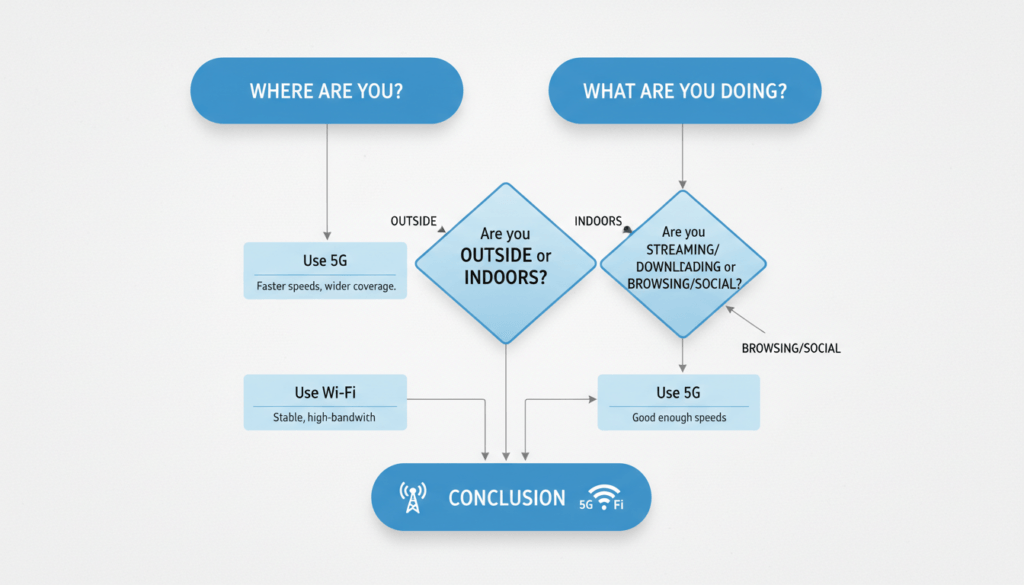
Security is the one area where 5G almost always wins. When you connect to 5G, your data is encrypted by the carrier network. Identity verification happens via your SIM card. It is extremely difficult for a local attacker to intercept that data stream without sophisticated, military-grade equipment.
Public Wi-Fi is a mess. Open networks at airports, hotels, and cafes often lack encryption. This allows bad actors to perform “Man-in-the-Middle” attacks, where they sit between your device and the router, capturing traffic. Even password-protected public Wi-Fi shares the decryption key with everyone who has the password. If you are banking, trading crypto, or sending sensitive work emails, turn off Wi-Fi. Use 5G. The data cost is worth the security layer. If you must use Wi-Fi in public, a VPN is mandatory, but 5G is the simpler, native solution.
The Data Cap Equation
Unlimited data plans are rarely truly unlimited. Most carriers have a “deprioritization” threshold. After you use 50GB or 100GB, they throttle your speed down to 1990s levels during times of congestion. Wi-Fi is generally unmetered.
Operating system updates and game downloads are massive. A modern mobile game can be 5GB. An iOS update can be several gigabytes. Performing these over 5G burns through your high-speed allotment quickly. The rule here is simple: heavy lifting happens on Wi-Fi. Casual browsing and navigation happen on 5G.
Decision Framework: When to Use Which
You don’t need to overthink this every time you unlock your phone. You just need a set of rules for specific environments. Here is how to break it down.
Scenario A: At Home or Office
Winner: Wi-Fi.
You pay for internet at home. Use it. It saves your mobile data cap for when you actually need it. Your battery will last longer because the signal strength is consistent. The only exception is if your home internet goes down or you have a power outage; then 5G is your backup.
Scenario B: Traveling Internationally
Winner: Wi-Fi (mostly).
Roaming charges are exorbitant. Even “day pass” plans throttle speeds. Rely on hotel and cafe Wi-Fi for bulk usage like uploading photos or video calling home. Use cellular data sparingly for maps and translation when you are away from a router. Turn off “background app refresh” to stop apps from eating data silently.
Scenario C: The Coffee Shop / Airport
Winner: 5G.
Do not trust the open network. It is slow because everyone is streaming Netflix, and it is insecure. Unless you have zero signal, stick to cellular data here. If you have a laptop, use your phone as a hotspot rather than connecting the laptop to the public Wi-Fi. It is more secure.
Scenario D: Large File Downloads
Winner: Wi-Fi.
Stability matters here. If you are downloading a 2GB file and you switch cell towers or hit a dead zone, the download might fail or corrupt. Wi-Fi provides the steady stream needed for large data packets.
Summary Comparison Table
Here is the breakdown of the technical and practical differences. Use this to make quick decisions.
| Feature | 5G Cellular | Wi-Fi (6/6E) |
|---|---|---|
| Best For | Mobility, outdoors, secure transactions | Stationary use, heavy downloads, battery saving |
| Speed | Variable (100 Mbps – 1 Gbps+) | Consistent (400 Mbps – 1 Gbps+) |
| Data Cost | Expensive (Caps/Throttling apply) | Usually Flat Rate / Unmetered |
| Battery Drain | High (especially with weak signal) | Low (efficient at short range) |
| Security | High (Encrypted by carrier) | Low on public networks; High on private |
| Range | Miles (Tower dependent) | ~150 Feet (Router dependent) |
Also Read: Vivo X300 and X300 Pro Launched in India: Top Features
Common Mistakes to Avoid
People often leave “Wi-Fi Assist” (iOS) or “Adaptive Wi-Fi” (Android) on without realizing what it does. This feature automatically switches you to cellular data if the Wi-Fi is poor. While this sounds good for speed, it can accidentally burn through your data cap if you are watching a movie in a bedroom with spotty Wi-Fi. If data is tight, turn this feature off.
Another mistake is leaving Wi-Fi on while driving. Your phone constantly scans for networks—passing Starbucks, passing a library, passing a house. This constant scanning uses power. If you are on a road trip, toggle Wi-Fi off from the main settings menu (not just the control center) to stop the scanning process.
The technology isn’t magic. It’s radio waves. Physics dictates that a closer signal (Wi-Fi) uses less energy than a distant one (5G). Security dictates that a private tunnel (5G) is safer than a public room (Open Wi-Fi). Use the tool that fits the job.